Use Case Diagram in draw.io (Actors and Use Cases)
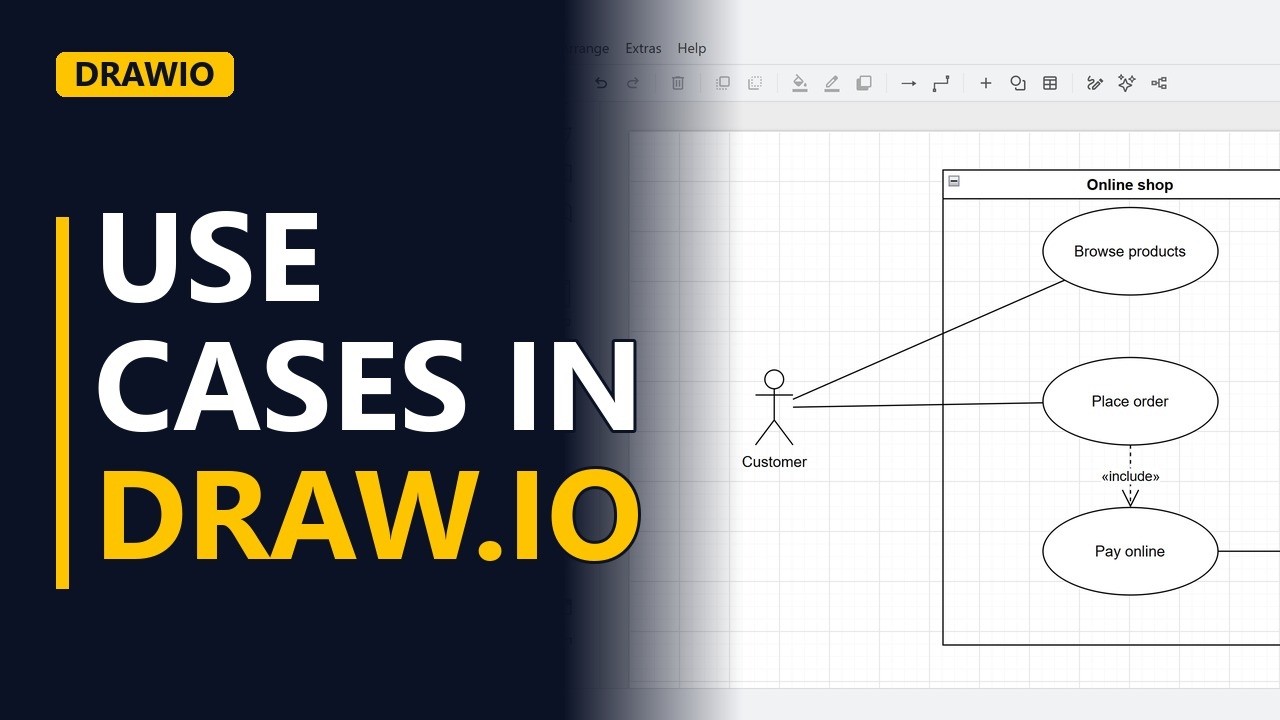
Draw a UML use case diagram for free in draw.io. Learn how to turn on the UML shapes, draw the system boundary, place actors outside it and use cases inside it, connect them, and show an include relationship, using an online shop.
Step by step
Who uses the system
- Use case diagrams. A use case diagram shows who uses a system and what they can do with it. It's one of the first diagrams a business analyst draws. Here's the one we'll build for our online shop.
- Blank diagram. Start a blank diagram in draw.io.
- UML shapes. Click more shapes, tick UML, and click apply. That gives us actors and use cases.
The system boundary
- System boundary. First, the system boundary. Drag a container onto the page and make it tall. Name it after the system. Online shop.
Actors and use cases
- Actor. An actor is a role, not a person's name. Actors stand outside the boundary. Drag in the stick figure and call it customer.
- Use case. Use cases are ovals inside the boundary. Name each one with a verb and a noun. Browse products.
- Association. Connect the actor to the use case with a plain line. Click the customer, hold control and click the use case, then click the line shape.
- Use case. The customer also places an order. Add a second use case.
- Association. And connect the customer to it the same way.
Include
- Include. Placing an order always includes paying online. Add that use case under it. Include is a dashed arrow from the main use case to the one it always uses. Use the dependency line, and label it include.
- System actor. Actors can be other systems too. The payment provider takes the money. It stands outside the boundary, on the right. Connect pay online to the payment provider with a plain line.
- The finished diagram. Click away to see the finished use case diagram. Actors outside, use cases inside, and one include.
Recap
- The rules. So, actors are roles outside the boundary, use cases are verb and noun ovals inside it, and include points to the use case that is always used. Subscribe for more draw.io tips for business analysts.


