Model a Payment Failure Path in BPMN (Retry, Then Cancel)
Happy paths are easy; failures are where requirements hide. Model what happens when an online shop payment fails: a timer event for the wait, a retry, and an error end event for the cancelled order, then export the model as SVG from the free bpmn.io modeler.
Step by step
Unhappy paths
- Payment failure. What happens when a payment fails? If your process model doesn't say, nobody builds it. Here's the failure path we'll add for our online shop.
- New diagram. Start a new diagram in bpmn.io and name the start event payment submitted.
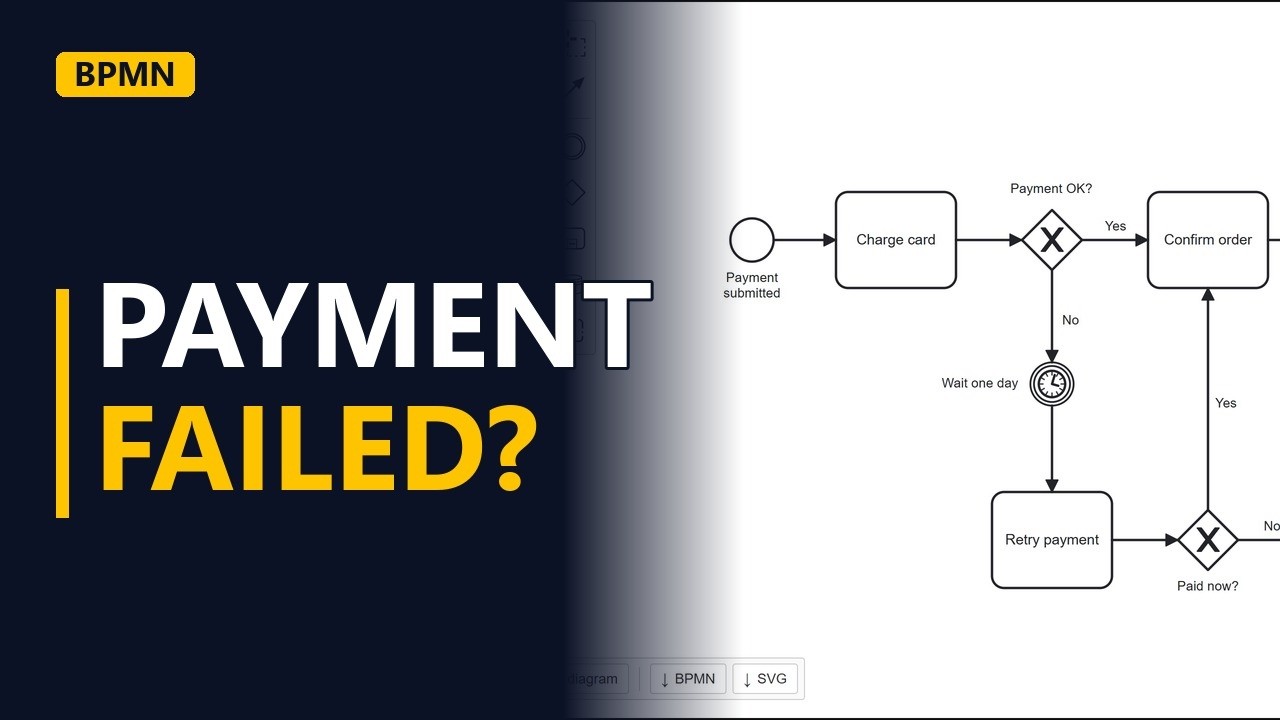
- Happy path. Add the first task from the start event's menu. Charge card. Then a gateway that asks payment OK? If yes, confirm the order. Add the task and label its arrow yes. End the happy path. Order confirmed.
Timer event
- Wait. If no, we wait before trying again. Drag the double circle from the gateway's menu down below it, name it wait one day, and label the arrow no. Click the wrench, type timer, and pick timer intermediate catch event. The clock means the process pauses here until the time is up.
Retry
- Retry. After the wait, drag a task from the timer's menu to the space below it. Retry payment. Ask again with a second gateway. Drag it right under confirm order. Paid now? If yes, the order joins the happy path. Drag the arrow tool from the gateway onto confirm order, and label it yes.
Error end
- Cancel. If no, the order is cancelled. Add an end event, name it order cancelled, and label the arrow no. Make it an error end event with the wrench. The lightning bolt tells everyone this ending is a failure, not a normal finish.
Export
- Export. To put the model in your requirements document, click the SVG button at the bottom left. It downloads a picture of the diagram.
- The finished model. Click away to see it all. The happy path on top, the failure path below, and every path ends.
Recap
- The rules. So, model the failure, not just the happy path. Use a timer event for waiting, loop back with a labelled arrow, and end a failure with an error end event. Subscribe for more BPMN tips for business analysts.