How to Create an Epic and Add Stories in Jira
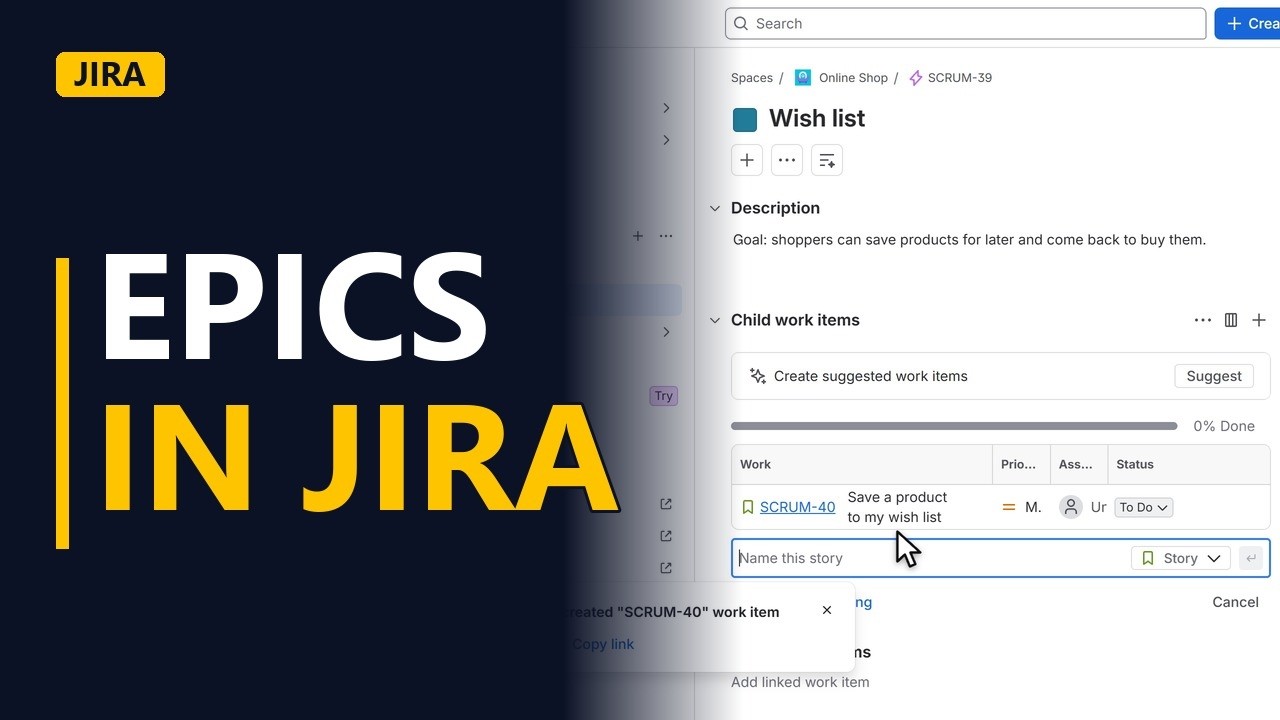
An epic is one big piece of work, like a whole feature, split into stories. See how to create an epic in Jira, describe its goal, and add child stories to it.
Step by step
What is an epic
- Epics in Jira. An epic is one big piece of work, like a whole feature. It is too big for one sprint, so you split it into stories. Let me create one in Jira.
Create the epic
- Create. Click create.
- Pick Epic. Click the work type, and pick epic, the purple lightning.
- Name the feature. Name the epic after the feature. Short, so it fits on every card. Wish list.
- The goal. In the description, write the goal. What changes for the user when this epic is done.
- Create. Click create.
- Open the epic. Jira confirms it. Click view epic to open it.
Add stories
- Add a child story. Now split it into stories. Click add child work item. Type the first story. Save a product to my wish list.
- Make it a story. Set the work type to story. Story, with the green bookmark.
- Create. Click the create button to add it.
- Child work items. The story now sits under the epic. Add the other stories the same way, and the epic shows how much of the feature is done.
Recap
- Epic, then stories. So, an epic is a feature. Name it short, write the goal in the description, then add child stories under it. Subscribe for more Jira tips for business analysts.


